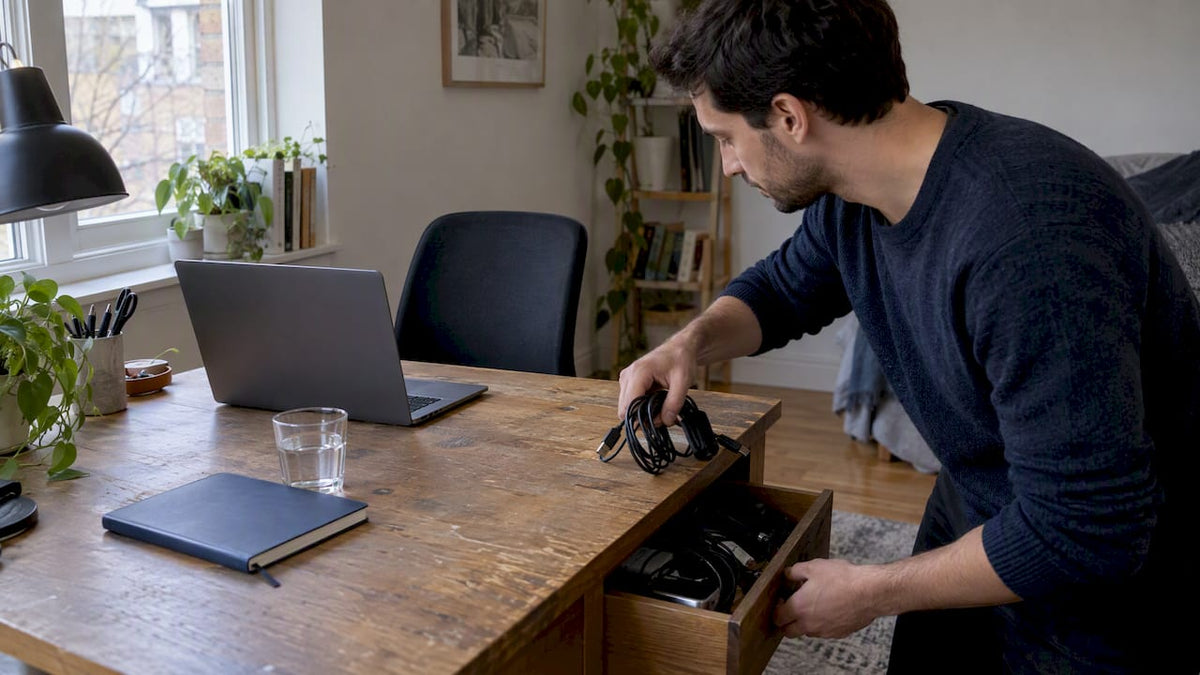
A mindful desk setup is a workspace stripped to what you actually use, arranged so your body stays neutral, and paired with one small ritual that signals focus. Start with three moves: clear the surface down to essentials, align your chair and monitor with basic ergonomic cues, and add a short breathing or stretching habit before you begin work. None of this requires new furniture, just fifteen focused minutes and a willingness to put things away.
TL;DR:
- Proper ergonomic setup requires adjusting your chair, monitor, keyboard, and mouse to support neutral posture and reduce visual noise for better focus.
- Regular short breaks, such as standing and stretching hourly or via Pomodoro cycles, significantly improve sustained attention and mental clarity.
- Incorporating a low-maintenance plant and simple sensory cues can promote calm without creating additional clutter or chores.
- Controlling digital notifications and limiting physical clutter are essential for preventing distraction and maintaining deep focus during work.
- Prioritizing simple rituals, like a 30-second breathing exercise before starting work, has a proven impact on reducing stress and increasing focus.
Table of Contents
- The core principles behind a calm, minimal desk
- A step-by-step setup you can finish in one sitting
- Building movement and breaks into your day
- Choosing nature and sensory cues without adding chores
- Minimal layout ideas for different desk types
- Small rituals that make mindfulness stick
- How simple tools support a mindful desk
- Desk surfaces and textures that feel right under your hands
- Cutting the digital noise that fights your focus
- Making the desk feel like yours without the clutter
- Getting the sound in your workspace right
- What the research actually supports, and what gets overstated
- A simple way to stock a mindful desk
- Sources
- FAQ
The core principles behind a calm, minimal desk
A mindful desk works because it removes friction, not because it looks a certain way. The essential-only rule means keeping only what supports the task in front of you: your laptop, one notebook, a water glass. Everything else, from spare cables to old mail, goes into a drawer or off the desk entirely.
Adjustability matters more than price. A $150 chair you actually adjust to fit your body beats a $600 chair left in its factory position. The same goes for monitor arms, footrests, and desk height: cheap tools used correctly outperform expensive ones used carelessly.
Visual noise has a cost most people underestimate. A cluttered desk forces small decisions all day (move this, step around that) and each one draws on the same limited attention you need for real work. Clearing that noise is not about aesthetics, it is about protecting the mental bandwidth you have left for actual thinking.
Finally, design for movement rather than a fixed pose. Leave space so you can stand, stretch, or shift your chair without rearranging anything. A desk that locks you into one posture works against your body, even if that posture looks correct on paper.
A step-by-step setup you can finish in one sitting
Do this in order. Each step depends a little on the one before it, so resist skipping ahead to the fun parts like plants or lighting.
- Clear the surface completely, then sort items into three piles: remove (trash or relocate), store (drawer or shelf), and keep (only what you touch daily).
- Adjust your chair first. Feet should rest flat on the floor or a footrest, with your spine supported and shoulders relaxed, following the posture cues in Mayo Clinic’s office ergonomics guidance.
- Center your monitor directly in front of you, top of the screen at or slightly below eye level, about an arm’s length away, per OSHA’s workstation guidance.
- Position keyboard and mouse close together, at a height that keeps your elbows near your torso around 90 to 100 degrees. Laptop users should add an external keyboard and mouse rather than tilting the built-in screen up.
- Fix glare before you fix anything else visual. Angle the screen away from windows, choose matte desk surfaces over glossy ones, and add an adjustable task light if overhead lighting is harsh or dim.
- Manage cables with a simple clip or basket, then allow yourself exactly one decorative or natural object, a plant, a stone, a photo, nothing more.
- Test the setup during a real working hour, then adjust anything that pinches, glares, or forces you to stretch.
Keep a small reset kit nearby:
- A microfiber cloth for the screen and desk surface.
- A spare cable tie or clip for stray wires.
- A sticky note pad for quick reminders instead of loose paper piles.
Building movement and breaks into your day
Long stretches of stillness wear down attention faster than most people realize. Short breaks, even just one to five minutes, can restore focus in ways a longer break later in the day cannot fully replace, according to APA-reviewed experimental research on microbreaks.
- Stand and stretch once an hour, even for 60 seconds.
- Alternate sitting and standing across longer work blocks if you have a sit-stand desk.
- Keep legroom clear and a water bottle within reach as a natural cue to move.
- Try a 50 minutes on, 10 minutes off rhythm, or a tighter 25 on, 5 off Pomodoro pattern if your work allows it.
Pro Tip: Set a recurring one-minute timer labeled “change task,” not “break.” Standing to refill water or glance out a window counts.
Choosing nature and sensory cues without adding chores
One small plant adds calm to the desk without becoming a chore. A compact low-maintenance plant in a simple planter offers a living presence without demanding daily care.
- Pick low-maintenance species over anything that needs daily watering or bright direct sun.
- Use adjustable task lighting and matte surfaces to cut glare rather than adding another lamp for style alone.
- Keep scents and textures optional: a small tactile object or a mild, unscented candle works if you like it, skip it if you do not.
- Treat biophilic touches as mood support, not a productivity guarantee. A 2025 peer-reviewed study found that a living wall reduced physiological stress markers during a demanding task compared with a non-living version, indicating relaxation benefits, which points to real relaxation value, not a promise of faster output.
Minimal layout ideas for different desk types
Your layout should match your actual equipment, not a template built for someone else’s setup.
- Laptop-only minimal: add an external keyboard, a compact mouse, and a laptop stand so the screen reaches eye level without you hunching forward.
- Single external monitor: place the monitor dead center, keep the laptop closed or off to the side as a second screen only if you truly use it, and route both power cables through one clip.
- Compact standing-friendly setup: store your keyboard and mouse in a shallow drawer when not standing, and keep the desk surface itself nearly empty so transitions between sitting and standing take seconds.
- Monochrome or single-material palette: pick one or two colors and one dominant material (wood, matte metal, light stone) across your desk accessories to cut visual clutter without buying anything new.
- One-tray rule: limit yourself to a single small tray or dish for daily items like pens or a phone, and allow one visible object, a plant, a photo, a stone, purely for calm.
Small rituals that make mindfulness stick
Rituals work best when they are short and tied to a physical action you already do, like sitting down or closing your laptop.
- Start-work anchor: a 30 to 60 second breath before opening email or your first task.
- Pre-meeting reset: a one-minute body scan or standing stretch before you join a call.
- Mini recovery: one or two minutes of something genuinely enjoyable, a short walk, a funny video, after a long focus block.
- Shutdown ritual: close every browser tab, jot one line in a journal, then stretch before you leave the desk.
Pro Tip: Pair each ritual with a fixed trigger, like your laptop opening or closing, so it becomes automatic within a week or two. For more short practices that fit this pattern, see 10 tips for more mindfulness at work.
How simple tools support a mindful desk
A mindful desk does not need much, but a few well-chosen objects can reinforce the habits above instead of adding clutter. Stress balls and journals can sit quietly on a desk until needed: a stress ball for a quick sensory reset during a microbreak, a planner for the end-of-day shutdown note mentioned earlier.
- A single stress ball or small journal fits the one-tray rule without crowding the surface.
- Eco-friendly packaging and simple, functional designs match the minimal-first approach this article recommends.
- These are optional supports, not requirements. The ritual matters more than the object.
Desk surfaces and textures that feel right under your hands
The material under your hands all day affects comfort more than most people account for when buying a desk. Glossy laminate looks clean in photos but reflects overhead light directly into your eyes and can feel cold and slick under your wrists during long typing sessions.
Matte wood, cork, or textured laminate surfaces cut glare and give a warmer, less slippery feel. Bamboo and reclaimed wood desks have become common minimalist choices because they resist scratches without needing a glossy sealant that creates reflections.

For the section of desk under your wrists specifically, a slim gel or fabric wrist pad can reduce pressure points if you type for hours, though it is worth skipping if you already keep wrists straight and floating per the posture guidance in the setup checklist above. Texture also affects how “settled” a space feels: a rougher, natural material like unfinished wood or woven fabric often reads as calmer than hard plastic or glass, simply because it absorbs light instead of bouncing it back at you.
If you share a desk or work in a small space, a removable desk mat in a matte, neutral color gives you the tactile benefit without committing to a full surface change.
Cutting the digital noise that fights your focus
A perfectly minimal physical desk still fails if your phone buzzes every ninety seconds. Notification control matters as much as decluttering your surface, and it is often faster to fix.
Turn off non-essential notifications on your phone and computer before you sit down, keeping only what truly needs an immediate response, calls from specific people, calendar alerts. Move your phone out of arm’s reach, face down or in a drawer, so checking it requires a deliberate choice rather than a reflex.
On a computer, close browser tabs and apps unrelated to your current task rather than letting a dozen stay open “for later.” Many operating systems now include a built-in focus or do-not-disturb mode that silences alerts for a set block of time. Use it during your working hour, then check messages in a dedicated window instead of continuously.
If email is the biggest pull, try checking it at two or three set times a day instead of leaving it open. This single change often does more for sustained attention than any amount of physical decluttering, because it removes the temptation rather than just moving it out of sight.
Making the desk feel like yours without the clutter
Personalization and minimalism are not opposites, they just require more intention. The goal is one or two objects that genuinely mean something, not a shelf of souvenirs and gifts you have stopped noticing.
A single framed photo, one meaningful quote card, or a small object tied to a specific memory carries more weight than five generic items competing for attention. Rotating a single object seasonally, a small plant in spring, a candle in winter, keeps the desk feeling current without adding permanent clutter.
Color can personalize a space without objects at all. Choosing one accent color for your notebook, mug, and desk mat gives the space a personal feel while staying visually calm. If you like art, one small print or piece of framed work does more than a wall covered in mismatched items.
The test worth applying to anything you add: would you notice if it disappeared? If the honest answer is no, it is decoration you have stopped seeing, and it can go into storage without any real loss.
Getting the sound in your workspace right
Sound shapes focus as much as light does, but it gets far less attention when people set up a desk. Constant background noise, a loud HVAC system, nearby conversation, office chatter, pulls on attention even when you consciously tune it out.
White noise or soft ambient sound (rain, low instrumental tracks, a fan) can mask distracting sudden noises without adding its own distraction, which is different from music with lyrics that competes directly with reading or writing tasks. A pair of basic noise-canceling headphones or even foam ear plugs solves most shared-space noise problems without any special equipment.
If your space allows it, a small rug or fabric panel absorbs echo in a hard-surfaced room and makes the space feel calmer even before you add any music. For rooms with genuine street or hallway noise, a white noise machine placed near the door is often more effective than trying to block sound at the window.

The simplest fix is often the cheapest: close the door if you have one, or use over-ear headphones with nothing playing at all. Total silence works for some people, filtered ambient sound works for others. Test both for a week rather than assuming which one suits you.
What the research actually supports, and what gets overstated
Most desk advice oversells complexity. You do not need a $2,000 standing desk, a white noise app with forty settings, or a color-coded productivity system to get the real benefits ergonomics and mindfulness research points to. The evidence supports something much simpler: neutral posture, brief regular breaks, and one small calming object or ritual.
Where conventional advice falls short is treating gear as the fix. A better chair helps only if you adjust it. A plant helps mood modestly, based on controlled studies, but it will not rescue a workday built on constant notifications and zero breaks. The order of priority matters: fix posture and glare first, add microbreaks second, and treat biophilic or sensory touches as the finishing layer, not the foundation.
If you take one thing from this, prioritize the single ritual over the perfect desk with mental toughness training to help stay calm and focused. A consistent 30-second breath before opening email will do more for a calm workday than another purchase ever will.
— Ravi
A simple way to stock a mindful desk
Building the setup above does not require a shopping trip, but a few small, well-made objects can make the rituals easier to keep. MindPanda’s Stress Balls collection gives you a low-effort sensory reset for the microbreaks covered earlier, something to hold for thirty seconds between focus blocks without reaching for your phone.

For the shutdown ritual, the Thrive & Reflect Bundle pairs a journal with simple prompts, so jotting one line at the end of the day takes seconds rather than becoming its own chore. If you are outfitting a whole team’s desks, MindPanda’s corporate gifting and bulk order options cover that at scale. Products use eco-friendly packaging and simple design, which fits the same less-is-more approach this guide recommends throughout.
Sources
- eTools : Computer Workstations - Additional Information | Occupational Safety and Health Administration
- Office ergonomics | Mayo Clinic
- APA experimental evidence on micro-breaks
- Biophilic interventions in real and virtual environments reduce stress during cognitively demanding tasks
FAQ
How long does it take to set up a mindful desk?
Most people can complete the full setup, decluttering, chair and monitor adjustment, and cable management, in a single focused session. The step-by-step checklist above follows the order that makes each adjustment easier to test.
Do plants actually improve focus at a desk?
A 2025 peer-reviewed study found that a living wall reduced physiological stress signals during a demanding task compared with a non-living version. That points to real relaxation benefits, but plants are not a guaranteed productivity fix on their own.
What is the ideal monitor distance and height?
OSHA guidance recommends placing the screen directly in front of you, about 18 to 20 inches away, with the top of the display at or slightly below eye level. This keeps your neck in a neutral position during long work sessions.
How often should I take microbreaks?
Short breaks of a few minutes or even a brief enjoyable task help restore attention in ways longer, less frequent breaks cannot fully replace, based on APA-reviewed experimental research. A common pattern is standing or stretching once every hour.
Does MindPanda sell products for a mindful desk setup?
MindPanda offers stress balls and journals designed for small, low-maintenance desk rituals like microbreaks and end-of-day reflection. Both fit a minimal desk without adding clutter, and use eco-friendly packaging.